

Home › APK Download
CaptainsBet APK Download for Android in Zambia
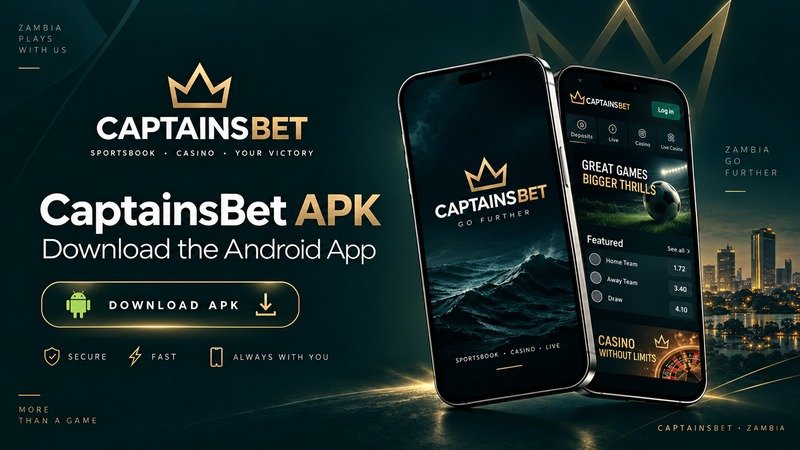
The CaptainsBet APK comes straight from the operator’s website, not from the Google Play Store. The file weighs about 25 MB, which is a small slice of an everyday data bundle. It installs in four steps, and the only extra thing you have to do is allow installs from unknown sources in your Android settings. Your account, kwacha balance and any running promotions are exactly the same as in the browser.
Quick answer
- Where: in the footer of the official site, opened on an Android phone.
- Size: ≈25 MB · System: Android 6.0 or later · Cost: free (your network’s normal data charges apply).
- Required step: allow unknown sources for the browser that does the download.
- Play Store: the app isn’t listed there, because of Google’s rules on real-money gambling.
- Updates: manual. You install the new file over the old one.
Official file, ≈25 MB. 18+. Please gamble responsibly.
Where to find the file on the site
The download link sits in the footer of the official CaptainsBet site and shows on every page when you visit from an Android device. On a laptop or desktop the link may not appear at all, because the site can tell there’s nowhere to install the package. Wi-Fi is the easiest option, but 25 MB is fine on most mobile data bundles too.
People search for this file under lots of different names, such as captains bet apk, captain bet apk, captainsbet app download, captainsbet zambia app, captainsbet app download for android and even captainsbet app download apk latest version. They all point to one package, hosted on the operator’s own domain, and that’s the only one worth installing.
Installing the CaptainsBet APK in four steps
Open the site on your phone
Scroll down to the footer and tap the Android app download link.
Allow the source
A warning pops up and takes you to your settings. Turn on the permission for the browser you’re using.
Install the package
Tap the file in your downloads and confirm. It only takes a few seconds.
Log in
Tap “Sign In” and use your usual details. If you’re new, you can open an account first.
Allowing unknown sources in settings
On recent Android versions you give this permission app by app, not once for the whole phone. The usual path is Settings › Apps › Special app access › Install unknown apps, where you choose Chrome or your file manager. Menu names vary a little from one phone brand to another. On older versions the option is called “Unknown sources” and is in the Security menu. Once the package is installed, you can turn the permission off again without affecting anything.
File details
Why isn’t the APK on the Google Play Store?
Google only allows real-money gambling apps in a limited list of countries, and only from operators licensed in that country. Zambia has no licensing system for online gambling, and CaptainsBet runs under a Curaçao licence rather than a Zambian one. That means the store won’t accept the listing, so the operator offers the app through its own site. An app missing from the store isn’t suspicious on its own. Most betting apps are distributed this way.
How do I know I’m downloading the official APK?
Look at where the file comes from. The download has to start on the operator’s domain, with the padlock showing in your browser’s address bar. If you end up on an APK mirror site or a file-sharing service, or the link came from a WhatsApp or Telegram group, stop there.
Three quick checks are worth doing. The size should be around 25 MB, because a much heavier package often carries extra code. The file name shouldn’t have odd tags such as “mod”, “premium” or “predictor”. And the permissions requested during installation shouldn’t include contacts, SMS or calls. A betting app needs none of these, and an app that can read your SMS can also read your mobile money confirmation codes.
Is it safe to install an APK file?
Yes, as long as it comes from the official source. APK is simply the format Android uses to package every app, including the ones in the Play Store. The risk comes from third-party download sites. They repackage files with aggressive ads or code that collects your data, and the copies still look just like the original. You approve the installation yourself, so choosing the right source is your only real protection.
Never enter your login details in a copy of the app that didn’t come from the operator’s site. Ignore anyone who sells “predictor” apps, shares the APK in Telegram or WhatsApp groups, asks you to pay “fees” via MTN MoMo or Airtel Money, or asks for your password or mobile money PIN. Before your first bet, set deposit and session-time limits. Only stake money you can afford to lose, and never use money meant for rent, school fees or a mobile money loan. Gambling with control starts in your account settings.
How do I update the app if the Play Store doesn’t notify me?
You update it yourself by downloading the file again and installing it over the old one. The package doesn’t go through the Play Store, so it never updates automatically in the background. Instead, the app tells you when you open it if a newer version is out, and sends you to the new file.
You don’t need to uninstall first, as long as the package comes from the same source. Android recognises the signature and replaces only what has changed. Your bet history, logged-in session and preferences stay as they are. If you put off an update, you’ll usually end up with connection errors and markets that won’t load. That’s the last thing you want halfway through a Super League or Premier League match.
What should I do when “App not installed” appears?
Usually this means an older version with a different signature is still on the phone, or your storage is nearly full. Uninstall whatever version is there, free up some space and try again. The table covers the other common errors:
Uninstalling the app
You remove it like any other app: press and hold the icon and choose Uninstall, or go to the app’s info page in your settings. You won’t lose your kwacha balance or history, because they’re stored in your account, not on the phone. The mobile app page explains everything you get once it’s installed, such as live betting, cash out, alerts and system requirements, as well as what iPhone users can do.
Keep reading
- mobile app: features, requirements and the option for iPhone users.
- open an account: the sign-up form and verification with your NRC or passport.
- Curaçao licence: where online betting stands under Zambian law.
- gambling with control: deposit limits, breaks and where to find help in Zambia.
CaptainsBet APK: frequently asked questions
No. Both the file and the app are free, and you only use the mobile data needed for the download. You spend money only when you make a deposit. Deposits and withdrawals are made via mobile money; the cashier shows the methods available in Zambia and the minimum amount for each one.
No, as long as the new package comes from the same source. Android recognises the signature and replaces the previous version. You only need to uninstall if an error message appears during installation.
No. APK is an Android-only format. Any page offering an APK for iOS is fake and should be avoided.
Yes, and it’s a good idea, because the package just takes up space in your Downloads folder. The installed app doesn’t need it to run.
Only if you’ve turned the permission off since the last install. While it stays on for that browser, later installs go ahead without a new warning.
Yes. Android shows that warning for any package installed outside the store, wherever it comes from. Before you carry on, check that the download started on the operator’s domain.
You can, and then move it to your phone by cable or through cloud storage. It’s simpler to do everything on the Android phone itself, because that avoids files getting cut short during the transfer.
Updated October 2026. 18+ only. Please gamble responsibly. In Zambia, betting is regulated under the Betting Control Act, and there is no dedicated licensing regime for online gambling; CaptainsBet operates under an international Curaçao licence and does not hold a Zambian licence.


