
Home › Payment Methods
CaptainsBet Deposits and Withdrawals in Zambia
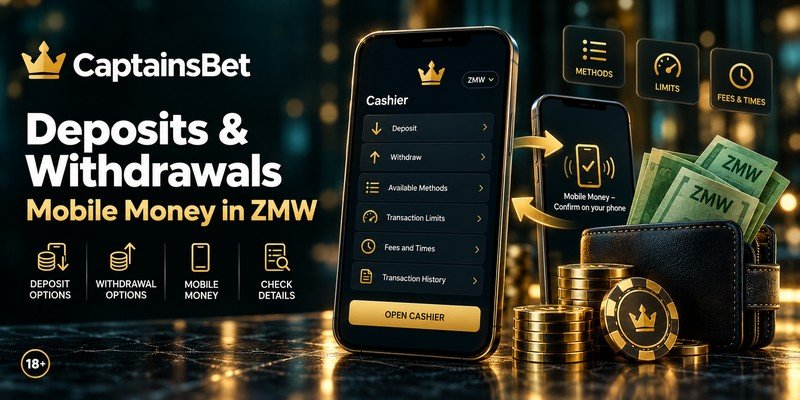
Deposits and withdrawals are made via mobile money; the cashier shows the methods available in Zambia and the minimum amount for each one. Your account runs in Zambian kwacha (ZMW), so there’s no currency conversion. Across the country, the most widely used wallets are MTN MoMo, Airtel Money and Zamtel Kwacha. Open the cashier to see which ones are offered for your account.
Quick answer
- How you pay: via mobile money, with the available methods listed in the cashier.
- Minimum amount: shown in the cashier for each method. There’s no single minimum for all of them.
- Fees: check the cashier before you confirm. Your wallet provider may also charge its own fees.
- Anti-money-laundering rule: money goes back out the same way it came in.
- Currency: Zambian kwacha (ZMW), with no conversion.
- Verification: NRC or passport, plus a verified email and phone number, requested with your first withdrawal.
Account in kwacha, with minimums shown in the cashier. 18+. Please gamble responsibly.
What to check in the CaptainsBet cashier
With CaptainsBet payment methods, three things matter: the minimum amount, how long it takes to get your money back and who sets the limits. The last column is the one that surprises people who deposit without reading.
Some limits don’t come from the operator. Your wallet provider sets its own daily and per-transaction limits. If an amount is refused with no explanation, check your wallet first.
What’s the minimum deposit?
There isn’t one figure for every method. The cashier shows the minimum for each method before you confirm, so check it there rather than relying on numbers you see elsewhere.
Bonuses are different, because each offer has its own deposit range. The Sport Welcome Bonus starts at K100, the Casino Welcome Bonus at K450 and the Free Spins Bonus at K200. A deposit below an offer’s range won’t trigger it. The conditions are explained in our guide on how to activate the welcome offer.
How to deposit, step by step
Open the cashier
Sign in and choose “Deposit” from the balance menu.
Choose your method
Think about withdrawals now, because your money comes back the same way. If you want a bonus, choose it in “See All Bonuses”.
Enter the amount
Stay above the method’s minimum and, if you’re claiming a bonus, within the offer’s range.
Confirm on your phone
Approve the payment request from your wallet on your own phone. Never share your PIN with anyone.
How to withdraw, step by step
Finish any bonus
If you have an offer that isn’t completed, the request is held until the wagering is done.
Get verified
Upload your NRC or passport and make sure your email and phone number are verified.
Request it under “Withdraw”
Choose the wallet you deposited with and enter the amount you want to receive.
Wait for the payout
Check the status in your transaction history and keep the confirmation SMS from your wallet.
How long does a CaptainsBet withdrawal take?
Processing times depend on the method and are shown in the cashier. Check them there before you request a payout, instead of trusting general figures you find online.
There are two stages to keep apart. The first is CaptainsBet approving your request. The second is the transfer to your mobile money wallet, which can be slowed by network maintenance or an outage at your provider. Your first withdrawal is the slowest, because it also includes the identity check.
What documents do I need to verify my account?
You need your NRC (National Registration Card) or passport, along with a verified email and phone number. You’re asked for them when you request your first withdrawal, not when you register. The name on the document has to match the name on your account and on your mobile money wallet.
Most rejections come from the photo, not the document itself. The usual mistakes are cut-off corners, flash covering a number, a blurry image, an expired document or a name that doesn’t match your registration. Take the photo on a flat surface, in natural light, with all four corners visible.
Send your documents as soon as you open your account, without waiting until you have money to withdraw. That way verification happens while you play, and your first request goes straight to processing. And remember: nobody will ever ask you to pay a fee via MTN MoMo or Airtel Money to “release” a withdrawal, or ask for your wallet PIN. Anyone who does is a scammer.
Why was my withdrawal refused?
It’s almost always one of six reasons, and none of them is final. Once you’ve sorted out what’s missing, you can request again the same day. The table matches each cause with its fix.
If you lose access to your account partway through, sort that out first with our guide on how to recover access. Support can’t deal with requests made from outside the account.
Can I withdraw to a different method from the one I deposited with?
No, and the reason is legal. Anti-money-laundering rules require money to go back the same way it came in. If you deposited from a mobile money wallet, the withdrawal goes back to that wallet.
If your number changes or your wallet is closed, contact support before you request a withdrawal. They’ll check that the new wallet is in your name before paying out. That’s why you should choose your method with withdrawals in mind, not just deposits. For the legal background to these rules, see our page on the legal position in Zambia.
Fees, limits and currency
Any fee from CaptainsBet’s side is shown in the cashier before you confirm. Other charges can come from your wallet provider, such as transaction or cash-out fees. Check your provider’s tariff so you know what you’ll actually receive.
Zambian accounts use kwacha (ZMW), so there’s no conversion on deposits or withdrawals. Bonus amounts and ranges are set in kwacha too.
Some limits per transaction and per day come from your wallet rather than the platform. Before you start depositing more often, set a deposit limit and self-exclusion in your settings. It’s the most effective brake there is, because it works before the money leaves your wallet. And never deposit money meant for rent, school fees or a mobile money loan. CaptainsBet payment methods work the same across every section of CaptainsBet Zambia.
Keep reading
- activate the welcome offer: deposit ranges, wagering and time limits.
- recover access: signing in and fixing account problems.
- legal position in Zambia: the licence, local law and what it means for you.
- deposit limit and self-exclusion: stopping the spending before it happens.
CaptainsBet payment methods: frequently asked questions
Usually soon after you approve the payment on your phone. If it doesn’t show after a few minutes, check your transaction history and your wallet’s confirmation SMS before trying again, so you don’t pay twice.
No. The wallet has to be in the same name as the betting account, or your withdrawal will be blocked.
Yes, while it’s still waiting for approval, in your transaction history. Once it has been sent to your wallet, it can’t be cancelled.
Normally you only do it once. You may be asked again if you change your phone number, add a new wallet or your document expires.
No, you can request one at any time. The processing times for each method are shown in the cashier, and your wallet provider’s own service can affect when the money arrives.
The cashier shows the methods available in Zambia for your account. The most widely used wallets in the country are MTN MoMo, Airtel Money and Zamtel Kwacha, so check the cashier to see which of them are offered.
Yes, as long as the amount meets the method’s minimum. Withdrawing in parts is a healthy habit, because it puts money you’ve decided not to play out of reach.
Updated October 2026. 18+ only. Please gamble responsibly. In Zambia, betting is regulated under the Betting Control Act, and there is no dedicated licensing regime for online gambling; CaptainsBet operates under an international Curaçao licence and does not hold a Zambian licence.


